Add your channel once and we review every stream you complete. Totally hands off.
Add your channel
1. open your dashboard and find Monitored channels.
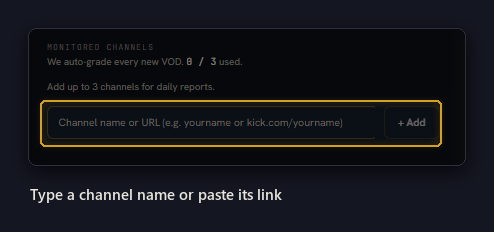
2. Then, type your channel name on its own (we’ll run a search for it on Twitch, Kick, and Youtube).
You can also paste the link to your channel pages individually.
3. If that name exists on more than one platform, we show you each match. Pick yours.
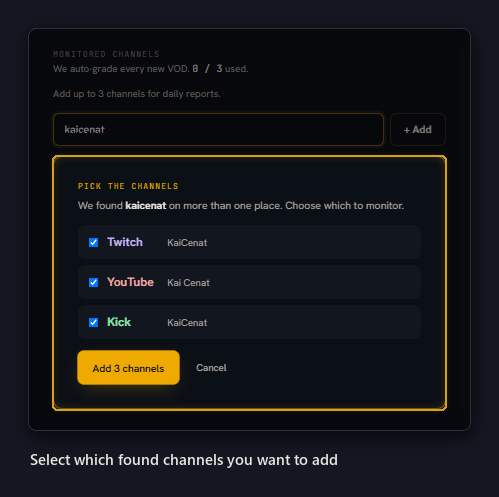
That’s it. Your channel shows up in the card, and the counter shows how many of your slots you’ve used.
Immediate Reviews
You don’t have to wait for your next stream.
We review your latest broadcast the moment you add the channel. You’ll have the report in minutes.
A few recent broadcasts get chat reviews. These come in over the next hour or so. We do this to establish a quick baseline for some first day trends.
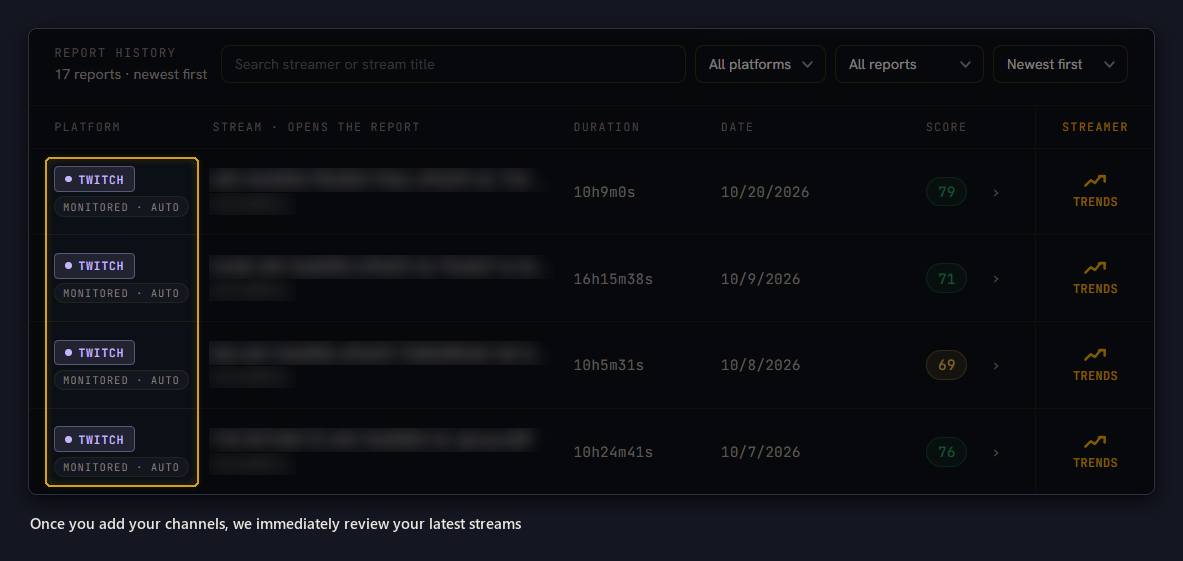
After every stream
We check your channels for broadcasts you’ve finished. Each new stream gets a full review and the report shows up in your dashboard. We’ll let you know when its ready by email.
Swapping a Channel
Pro covers a set number of channels, you can see your allotment on the card to the right your monitored channels. This shows how many you’ve used and how many reviews are available.
To make room for a different one, remove a channel with the ✕ on its row, then add the new one. Removing a channel stops new reviews for it.
Having trouble adding a channel?
It might be a few things:
-We can’t find the name. Paste the full link to your channel page instead of the name.
-You already monitor this channel. It’s already on your list, so you’re set. All your slots are used. Remove one first, then add the new channel.
-Monitoring is locked. Monitoring channels is part of Pro. You can still review a broadcast by hand if you still have one available.